
TIMEOUT Resource management
APPLICATION AREAS AND VALUE CREATION
Resource management encompasses many aspects and is interpreted differently from organization to organization – and from system to system. Resource management can be used to keep track of upcoming/ongoing tasks and ensure that there are enough employees assigned to each.

Tailored resource management
At Outzource, we believe it should be easy and simple to manage your organization.
Therefore, we offer flexibility and tailored features, so your company can operate at its best.

What is resource management??
We find that a significant part of resource management is being able to answer these questions:
- Do we have enough tasks?
- Do we have enough employees for the tasks?
- Are the same employees always getting the tasks?
- Is anyone more "burdened" than others?
- Have vacations/absences and internal time been considered in relation to project time?
Overview:
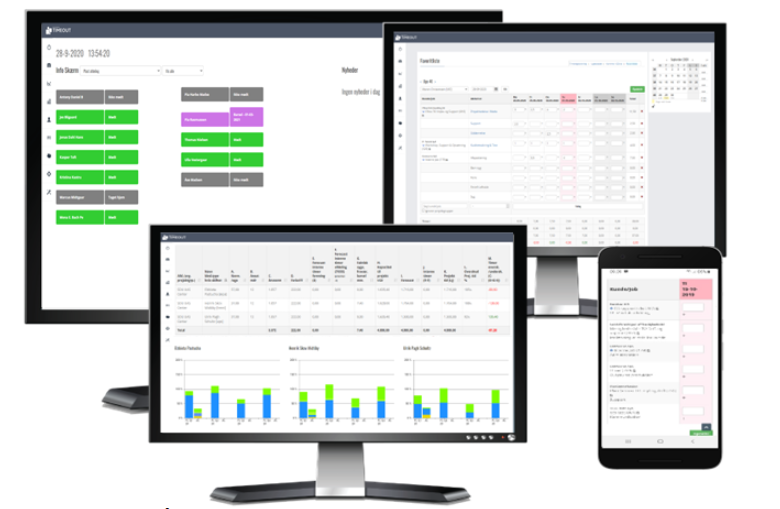
To answer the above questions, the starting point is to calculate and display the capacity. Whether there are 10 or 1000 employees/roles/skills, this figure can be shown per person, divided into groups, and as a total.
Once all allocations or forecasts, as well as other time entries, are entered, they are subtracted from the capacity, resulting in the workload. The workload is displayed for a specific period and can be categorized for follow-up and post-calculation purposes.
Simply and clearly, the number can indicate green for surplus time or red for deficit, indicating whether more or fewer tasks/employees are needed.
Reports:
Post-calculation and reporting are also displayed for a given period.
One approach that is interesting is to track whether the actual work performed reflects the allocations. Has more or less time been used?
Another approach is to assess whether the distribution of tasks (weighting) has been followed, or if some work has been completed faster/slower than anticipated – or if certain tasks are more time-consuming than initially estimated.
For all reports, they can be displayed for a specific employee, group, and possibly role/skill.

When can I start my resource management?
First and foremost, all projects need to be created, and hours allocated to the employees/roles who will work on the projects.
Additionally, an estimated number of days and hours should be allocated for vacation, absence, and internal time. There are various guidelines on normal distributions and more available online, but it's best to use internal statistics with historical data, as cultural factors significantly influence the calculation of actual project time.
OTHER SPECIFIC FEATURES
- Ongoing work status indication with remaining hours or in percentage. Additionally, revision status in relation to invoicing and value hours delivered per specific accounting date.
- Time budget simulation, where tasks and hours are allocated to employees. Including an alarm function when more hours than available are allocated, and when an employee's standard time is exceeded.
- Automatic assignment of tasks to employees' timesheets by allocations, as well as the ability to control that no more than the allocated hours can be used.
- Portfolio overview, distributed over several years, budgets and consumption, as well as per employee/department.
- Capacity and forecast, which takes into account internal tasks, meetings, as well as vacation and absence. This provides an overview of individual as well as total project time compared to the allocated time.
- Burn rate. Is the project following the plan, or does the "pace" need to be increased or decreased, or should priorities be adjusted in relation to other projects, objectives, or investments.
.
Contact us
Contact us for a non-binding presentation or discussion about your needs.